BETDAQ In-Play Experience
Improving the clarity and usability of live sports betting across desktop and mobile.
- Client
- BETDAQ
- Role
- Senior Designer
- Discipline
- UI Design, Product Design
- Tools
- Figma
The brief
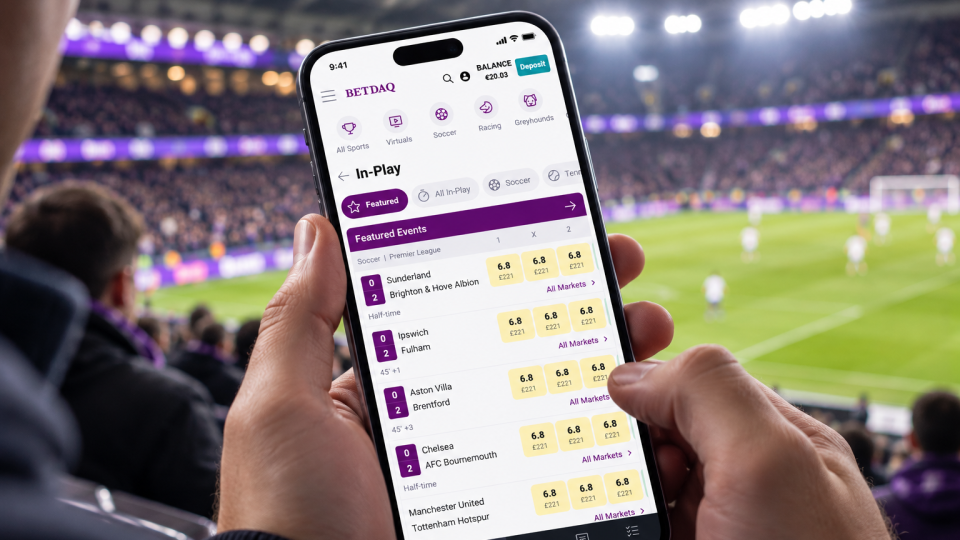
BETDAQ's existing In-Play interface presented users with a large amount of live sporting information, making it difficult to quickly scan events, identify scores and navigate between markets.
The aim was to explore improvements to the layout, visual hierarchy and overall user experience, creating a cleaner and more intuitive interface across desktop and mobile while retaining the key information users need when betting on live events.
Process
Reviewing the Existing Experience
I began by reviewing the existing desktop and mobile interfaces, identifying opportunities to improve how live events, scores, odds and market information were displayed.
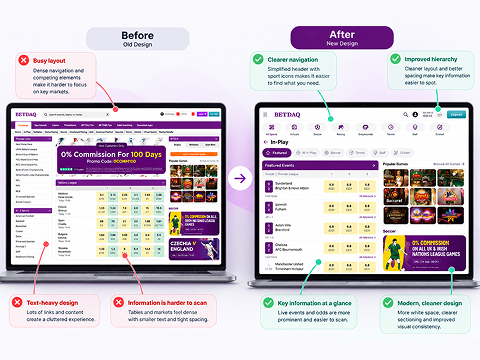
The existing layout was functional but visually dense, with limited separation between different types of information. This provided an opportunity to introduce a clearer structure and make live events easier to scan.
Exploring Layouts
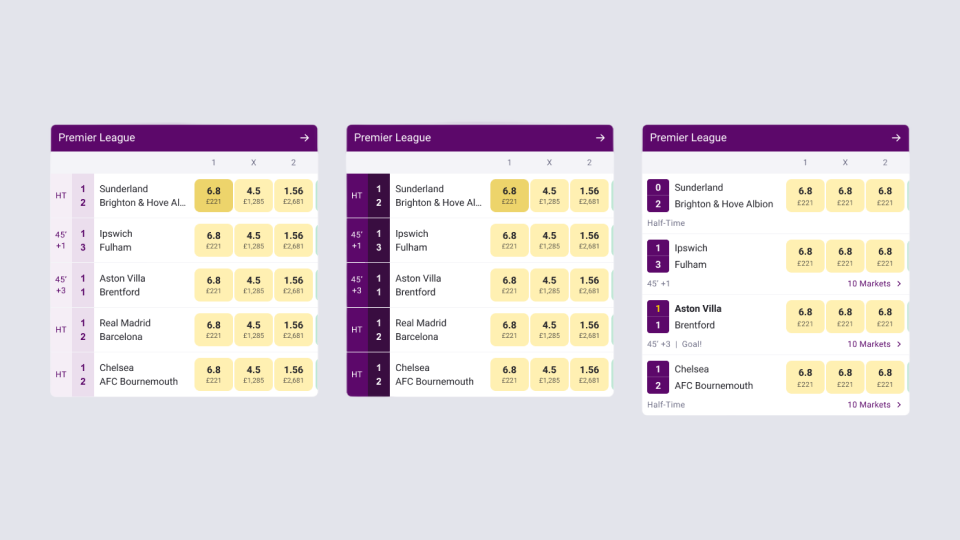
I explored different approaches to presenting live scores and betting markets, experimenting with the positioning of scores, match information and odds.
A key consideration was balancing information density with readability, ensuring users could quickly identify important details without losing access to betting markets.
Infographics & Matchday Graphics
Building on the initial explorations, I developed a more consistent interface using clearer typography, improved spacing and more defined visual groupings.
The updated designs introduced:
- Clearer information hierarchy: Better separation of teams, scores, match status and betting odds.
- Improved live score visibility: Making scores and key match updates easier to identify.
- Simplified navigation: Exploring more intuitive ways to switch between featured events, sports and live markets.
- Consistent components: Introducing more cohesive styling for odds buttons, event cards and navigation elements.
- Responsive layouts: Adapting the experience for desktop and mobile while considering the different constraints of each screen size.
Desktop & Mobile Exploration
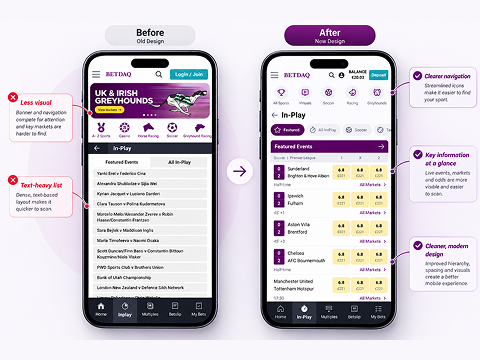
The designs were explored across desktop and mobile, with particular attention to how the information would adapt to smaller screens.
On desktop, the focus was on organising event information within the existing multi-column layout. On mobile, the challenge was to prioritise essential details while maintaining quick access to live scores and betting markets.
Outcome
The project resulted in a series of UI concepts exploring a cleaner, more structured In-Play experience.
Although development was not completed before the company entered a redundancy process, the designs demonstrate how improvements to layout, hierarchy and component consistency could make a complex, information-heavy interface easier to navigate.
The project was a valuable exercise in balancing information density with usability, particularly within a live sports environment where information changes constantly.